

Security Camera Maintenance: What a Contract Should Cover
A practical guide to CCTV maintenance contracts, covering equipment scope, preventive inspections, response times, firmware, reporting, exclusions, and costs.
#Key takeaways
- A security camera maintenance contract should define the covered equipment, service commitments, preventive maintenance schedule, exclusions, and reporting requirements.
- Preventive maintenance should address camera condition, image quality, recording, storage, and agreed firmware and security reviews. Records should identify what was checked and any limitations.
- Pricing can use a per-camera rate, a per-site fee, time-and-materials billing, or a combination. The appropriate model depends on workload, access requirements, equipment condition, and service commitments.
- A useful maintenance report provides traceable evidence of the work performed. Whether it meets an audit requirement depends on the applicable criteria and supporting records.
- Cameras that have reached end of support can remain within a maintenance agreement, provided the contract explains the limits of support, outstanding risks, and any replacement plan.
A well-defined security camera maintenance agreement helps customers and service teams understand what will be maintained, how faults will be handled, and which costs are included. This guide explains the main contract sections, the tasks a preventive visit can cover, and the records that support maintenance planning across customer sites.
#What should a security camera maintenance contract actually include?
A commercial CCTV maintenance contract should set out five core elements: the covered asset list, service commitments by severity, a preventive maintenance schedule, explicit exclusions, and reporting obligations. It should also identify customer responsibilities, approval procedures, and how changes to the installation affect the agreement.
#Scope: the covered asset list
List the cameras, recorders, video management servers, storage, and supporting network equipment included in the service. Include other systems, such as door controllers, only when they are expressly within scope.
Identify equipment by site, location, asset ID, manufacturer, model, and serial number where available. Record installed firmware or software versions and relevant support information. A general phrase such as “all CCTV equipment at the site” may leave uncertainty about later additions, third-party equipment, or customer-managed infrastructure.
Keep the inventory versioned and agree how additions, removals, and replacements are approved. Distinguish manufacturer end of sale, end of support, warranty expiry, and the availability of security updates: these milestones can have different implications.
Use manufacturer notices to confirm lifecycle information and record when it was checked. Product information tools can help organize research, but the contract should reflect verified information and any gaps in the available records.
#SLA tiers and response times
Define severity levels and what each response commitment means. Acknowledgment, remote assessment, on-site attendance, temporary restoration, and final resolution are separate milestones.
The following table is a framework to complete during contract discussions, rather than a set of standard response times.
| Severity | Example | Commitment to define in the agreement |
|---|---|---|
| Critical | Site-wide recording loss or loss of a critical view | Support coverage hours, acknowledgment and remote assessment targets, escalation, and any on-site attendance target |
| Major | Several cameras unavailable, with partial coverage remaining | Assessment target, workaround process, and agreed repair or attendance window |
| Minor | A non-critical image issue or isolated defect with limited operational impact | Triage target and an agreed service date or scheduled visit |
A single camera can be critical if it covers an essential location. Priorities should reflect operational impact, rather than camera count alone.
For each target, state when the clock starts, whether elapsed or business hours apply, and how access delays or dependencies are handled. Explain how parts availability affects restoration and resolution. Promise response windows that match the service coverage and resources being purchased.
#Exclusions that cause disputes
Potential exclusions include accidental damage, vandalism, customer network changes, external power faults, specialist access equipment, replacement parts, and work outside agreed hours. These are matters to negotiate, rather than universal exclusions.
Distinguish fault diagnosis from repair coverage. For example, the agreement may include investigating a camera outage while charging separately for replacement of a damaged cable.
State how excluded work is quoted and authorized, including any emergency spending limit. Clarify responsibility for customer-managed networks, credentials, backups, remote access, and third-party coordination.
#What does security camera preventive maintenance cover, task by task?
#Per-camera physical checks
Inspect the camera housing, lens cover, mounting, visible cabling, connectors, and weather seals as appropriate to the model and installation. Clean accessible surfaces using manufacturer-approved methods. Avoid opening sealed housings or disturbing connections without a suitable procedure.
Review a live image at a useful viewing size. Check focus, aim, exposure, obstructions, and whether the field of view still meets the agreed purpose. Changes to lighting, landscaping, gates, or stored materials can affect coverage even when the camera itself is working.
Where night performance matters, agree how it will be assessed. A daytime check that infrared illumination activates does not establish that usable images are captured after dark. Record whether the assessment used a night visit, representative footage, or another agreed method.
Some image problems develop gradually, while other faults occur suddenly. Scheduled checks help identify deterioration and changes in the scene, but cannot guarantee uninterrupted operation or prevent every failure.
Use a checklist linked to each asset. Record completed checks, findings, and tasks that could not be performed, together with the reason and required follow-up.
#Recorder, storage and retention checks
Verify that covered channels record according to the agreed configuration, including schedules, resolution, frame rate, and event settings where relevant. Check available storage diagnostics, drive alerts, and RAID status where supported; healthy diagnostics alone do not guarantee future reliability.
Compare observed recording history with the agreed retention requirement. Retention can vary with scene activity, bitrate, recording schedules, and storage capacity, so document the conditions and method used to assess it.
Test playback and, where authorized, export representative footage. The agreement should define whether every channel is checked or a documented sample is used. Confirm that exported footage can be opened using the intended viewing method.
Review time synchronization, time zone, and daylight-saving settings across relevant components. Time differences can complicate incident reconstruction, so record discrepancies and corrective action.
#Firmware and cybersecurity tasks
Preventive maintenance should include an agreed review of installed firmware, relevant manufacturer security advisories, support status, and available updates. The newest release is not automatically the appropriate release for every installation.
Before deployment, evaluate model and hardware compatibility, recorder or VMS dependencies, release notes, expected downtime, and customer authorization. Arrange configuration backups and a recovery plan where supported. Do not assume that firmware downgrade or rollback is available.
Record the version found, the approved target version if a change is planned, and the reason for applying or deferring an update. After a change, verify the installed version and relevant functions through an authorized management interface; physical attendance is needed only where the task or site requires it.
Account security, remote access, network exposure, and unnecessary services should be reviewed within the agreed scope. Changes should be coordinated with the responsible IT team. Closing every open port or disabling services indiscriminately can interrupt legitimate recording, management, or integration functions.
Define who owns vulnerability assessment and remediation, how urgent advisories are escalated, and whether work between scheduled visits is included. A routine maintenance visit should not be presented as a comprehensive cybersecurity assessment unless that service is expressly contracted.
#How is security camera maintenance cost typically structured?
Pricing options include annual per-camera rates, per-site fees, time-and-materials billing, retainers, and blended arrangements. A contract may combine a fixed preventive service fee with separately priced corrective work or replacement parts.
Compare quotations against the same scope. A lower annual fee may cover fewer visits, shorter support hours, or less corrective work.
#Per-camera vs per-site pricing
Per-camera pricing can make changes in equipment count easy to calculate, but camera count alone does not capture recorder work, travel, reporting, or access costs. A minimum site charge or separate infrastructure allowance may be appropriate.
Per-site pricing offers a predictable amount for a defined installation. The agreement should explain how expansion, changed access requirements, or additional service commitments affect the fee.
Set visit frequency using site conditions, operational risk, manufacturer guidance, and any applicable contractual or certification requirements. There is no single interval suitable for every commercial installation.
#What pushes cost up
Cost drivers include:
- Number and distribution of sites, including travel and parking.
- Equipment quantity, condition, accessibility, and system complexity.
- Environmental exposure, cleaning needs, and specialist access equipment.
- Required support hours, response targets, and spare equipment arrangements.
- Firmware review, change control, reporting, and customer coordination.
- Historical fault rates, parts availability, and support limitations.
Older or unsupported equipment may require additional investigation or contingency planning, but age alone does not establish maintenance cost. Use an initial survey and service history where available.
#Illustrative budget structure
Build the quotation from estimated work and explicit assumptions rather than a fixed percentage split.
| Budget component | Basis for estimating |
|---|---|
| Preventive maintenance | Visit frequency, time on site, remote checks, travel, and access needs |
| Corrective service | Historical callouts, included labor, support hours, and escalation requirements |
| Parts and temporary equipment | Included replacements, spare stock, loan equipment, and handling |
| Administration and reporting | Inventory updates, service records, customer reviews, and scheduling |
| Contingency and commercial margin | Uncertainty, contractual exposure, overhead, and business requirements |
State which items are included, capped, or separately chargeable. Review the assumptions when the installation or service requirements change.
#What belongs in a CCTV maintenance report that supports an audit?
A maintenance report should make the work traceable to the equipment, technician, and time of service. A particular template or set of fields does not automatically make a report “audit-grade.” Its suitability depends on the customer's requirements, the applicable audit criteria, and the quality of the supporting evidence.
#Recommended report fields
Each visit record should capture, as appropriate:
- Customer, site, work order, and covered asset identifiers.
- Date, time, technician identity, and whether work was remote or on site.
- Tasks performed, results, and checks not completed, with reasons.
- Relevant recording, playback, storage, and retention findings.
- Firmware versions checked, approved changes, and deferred actions.
- Configuration changes and associated customer approvals.
- Relevant photos or screenshots, handled under the customer's privacy and security procedures.
- Open defects, their operational impact, responsible owner, and target follow-up date.
- References to supporting logs, tickets, or change records.
Use clear result categories such as pass, fail, adjusted, not applicable, and not tested. Do not record an unperformed check as a pass. Distinguish an observed result from an assumption or customer statement.
Reports, system logs, service tickets, approvals, and other records may together support a review. Apply agreed access controls and retention procedures, particularly where records include surveillance images or sensitive configuration information.
#Turning reports into renewal evidence
At renewal, summarize recurring faults, outstanding defects, equipment support changes, and completed corrective work. Where data permits, compare actual service performance with the agreed targets and explain exceptions.
Use these findings to recommend changes to visit frequency, spare stock, or replacement plans. Describe the evidence and its limitations without promising that maintenance records alone establish compliance or determine an insurance outcome.
#How do you evaluate a vendor's security camera maintenance agreement before signing?
Review the covered equipment, support limitations, service targets, exclusions, and replacement arrangements together. An attendance promise is more useful when the agreement also explains how diagnosis, access, parts, and restoration will be managed.
#Check end-of-life exposure before you commit
Ask for the covered model list and verify lifecycle information against manufacturer sources. The absence of a recent firmware release does not by itself establish that a product is unsupported; check the manufacturer's stated support position and relevant advisories.
Cameras that have reached end of support can still be included in a maintenance agreement. The contract should distinguish routine physical maintenance and operational support from manufacturer-backed security updates, repair availability, and replacement commitments.
Document known limitations, agreed risk mitigation, and responsibility for replacement decisions. Depending on the installation, a phased replacement plan may be appropriate. Neither immediate replacement nor continued operation should be assumed suitable for every unsupported device.
#Spare parts, RMA and advance-replacement terms
Clarify who holds spare equipment, whether it is reserved for the customer, and whether configuration and installation labor are included. Explain the return merchandise authorization (RMA) process and who manages manufacturer communication.
Advance replacement may involve shipment before the failed unit is returned, subject to the supplier's terms and stock. It does not by itself guarantee immediate installation or restoration.
Agree how temporary coverage will be handled, who approves substitute models, and what happens if an equivalent replacement is unavailable. Keep manufacturer warranty terms distinct from the service provider's contractual obligations.
#How should a service team run maintenance across 10–30 sites without drowning in spreadsheets?
A consistent inventory, contract-specific visit templates, and a shared record of defects make multi-site maintenance easier to manage. The toolset matters less than clear ownership and reliable updates.
#One inventory, many customers
Maintain a controlled inventory for each customer, organized by site and accessible to authorized staff. Records should include equipment identifiers, location, model, relevant versions, installation date where known, and verified support information.
Link preventive tasks to the covered assets and service agreement. Use manufacturer instructions and relevant equipment specifications for cabling, power, environmental limits, and inspection methods. Interoperability information does not replace electrical or installation requirements.
Separate planned work from completed work. A visit template shows what should happen; the service record should show what actually happened, what remains unresolved, and who owns the next action.
#Where Awernica can fit into the workflow
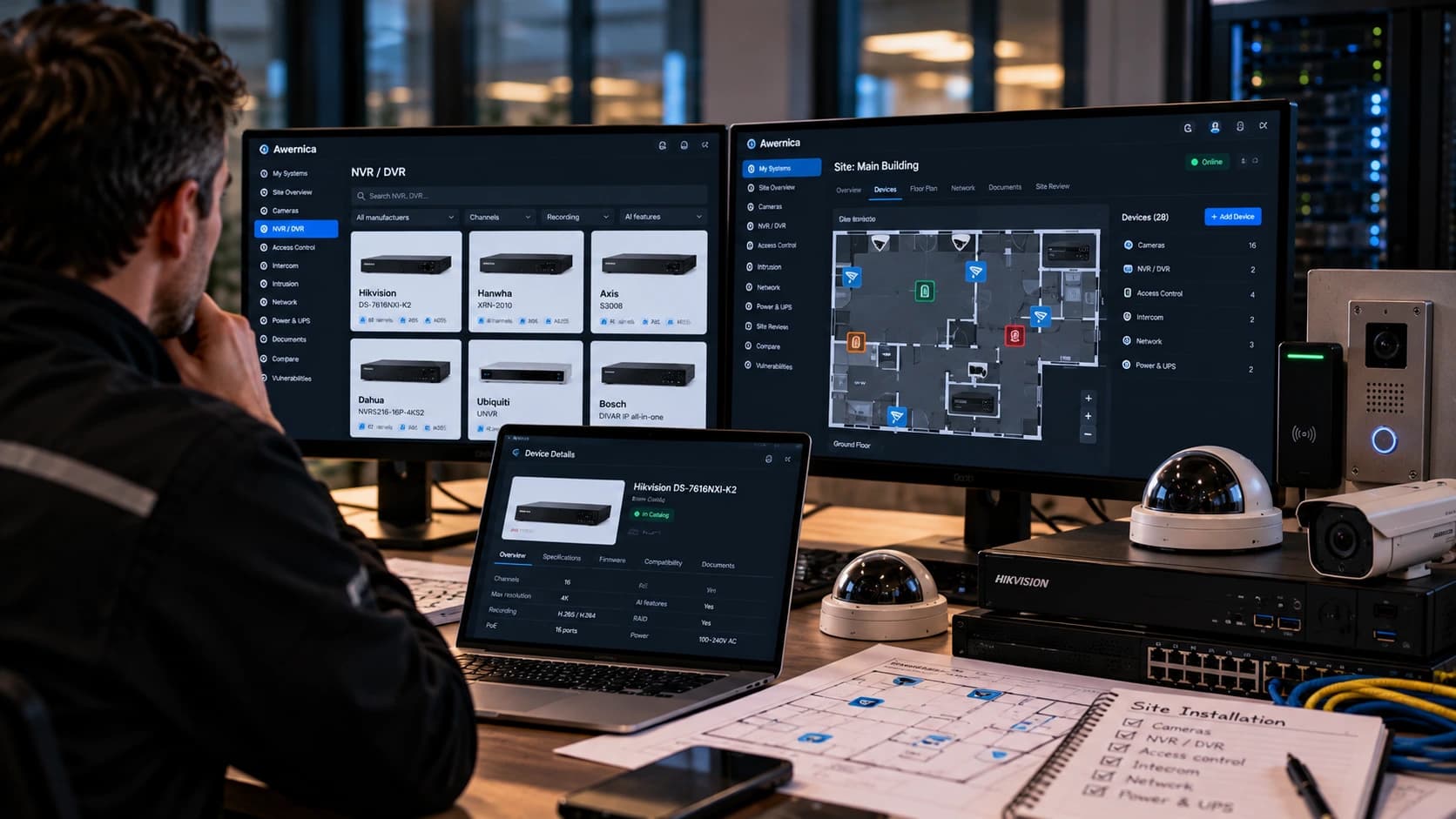
Awernica can be considered as a source of product information and a tool for organizing equipment research and maintenance planning. Confirm the information and features available for the products and workflow you intend to use. Verify important firmware and lifecycle decisions against manufacturer documentation and the installed equipment.
Do not assume that a product listing or planning tool automatically verifies installed firmware, records completed service, generates audit-ready evidence, or fulfils contractual reporting requirements. Any use of Workspace or Site Review features should be assessed against the team's actual documentation needs.
Keep approved changes, completed work, customer sign-off, and follow-up responsibilities in the organization's designated service records. If several tools are involved, define which record is authoritative and how updates are reconciled.
#DIY maintenance vs a contract: where is the line for a small installer?
The right division of work depends on competence, authorization, access conditions, and system criticality. Even cleaning or adjusting a camera can involve work at height, electrical hazards, weather seals, or a change to an important field of view.
An in-house technician may be able to perform routine inspections and cleaning using appropriate procedures. Firmware, recorder, and network changes can also be handled internally when qualified staff have the necessary authority, documentation, and recovery arrangements.
A maintenance contract is useful when the customer needs defined availability, specialist expertise, coordinated support, or capacity beyond the in-house team. Multiple sites increase coordination needs, but site count alone does not determine whether work should be outsourced.
Whichever approach is used, document responsibilities, changes, defects, and escalation routes. The aim is a service arrangement that matches the installation and the customer's operational needs.
#Contract review checklist
- Covered assets and supporting infrastructure are identified by site.
- Existing defects, inventory gaps, and support limitations are recorded.
- Preventive tasks, visit frequency, and remote checks are defined.
- Severity levels reflect operational impact.
- Response, attendance, restoration, and resolution commitments are distinguished.
- Coverage hours, timing rules, dependencies, and escalation routes are clear.
- Firmware reviews and changes have defined approval and verification procedures.
- Customer and IT responsibilities are assigned.
- Included labor, parts, travel, access costs, and exclusions are stated.
- Spare equipment, RMA, and temporary coverage arrangements are explained.
- Report contents, delivery, access, and retention are agreed.
- Open defects have owners and follow-up targets.
- Pricing adjustments, renewal, and termination procedures are documented.
#FAQ
#How often should security cameras be serviced on a commercial site?
Set the interval according to operating conditions, criticality, manufacturer guidance, and any applicable contractual or certification requirements. Quarterly or semi-annual visits are possible arrangements, but should not be treated as universal requirements. Remote health checks may supplement physical visits where supported and authorized.
#What is a reasonable per-camera annual maintenance cost?
There is no single rate suitable for every installation. Compare pricing against the number of visits, included corrective labor, parts coverage, travel, access requirements, and service targets. Estimate the workload from a site survey and service history rather than applying a standard reactive-service percentage.
#Can I write my own security camera maintenance agreement or do I need a lawyer?
The customer and service provider can develop the operational scope using an asset list, task schedule, service targets, and reporting requirements. Obtain appropriate contract review for the jurisdiction and commercial arrangement, particularly for liability, data handling, exclusions, renewal, and termination terms.
#Does preventive maintenance include firmware updates, or is that billed separately?
The agreement should distinguish firmware review from deployment. It may include routine approved updates while treating major upgrades, out-of-hours work, or complex compatibility testing separately. Record the version found, the decision taken, and any authorized change; do not assume every visit requires an update.
#What happens to my maintenance contract when a camera reaches end of life?
Check which lifecycle milestone the manufacturer has announced. End of sale does not necessarily mean end of support. Where support ends, the camera can remain covered for defined maintenance tasks, but the agreement should document limitations, available mitigation, and replacement responsibilities. Review the asset list and service scope when support status changes.
Related posts
Hikvision Camera Firmware Update via NVR: Step-by-Step
Learn how to update Hikvision camera firmware through an NVR, including batch upgrades, firmware compatibility, troubleshooting failed updates, and verifying successful installations.
· 11 min
CCTV Site Documentation
Learn what every CCTV technician should document, including camera models, IP addresses, firmware versions, network details, maintenance records, and equipment lifecycle.
· 3 min
Firmware Management Across Multiple Sites
Learn how to track CCTV camera firmware across multiple customer sites, identify outdated devices, verify installed versions, and plan safer firmware maintenance without relying on spreadsheets.
· 3 min